
We are excited to announce ClaimMaster 2026.5 release, which includes many improvements and performance fixes to our tools for patent proofreading, patent drafting, and Office Action shell generation. Here are some of the highlights:
Significant speed and stability improvements + bug fixes
This release will feature significant improvements to ClaimMaster’s stability and speed, especially for 64-bit versions of Word. We’ve streamlined all-in-one reports so they generate much faster and include fewer false positives. This release also fixes the issue with PDF/HTML files not consistently opening due to a recent Word update. There are also many other fixes and improvements, such as the ability to set region-specific rules (i.e., US or EP) for proofreading, improved handling of complex math formulas in Word, updates to downloading of the very recently issued US patents (not available from Google), and a lot more.
Background processing for all-in-one reports, batch downloading and IDS tools
If you are working on a large document, you can now configure ClaimMaster to perform its proofreading operations in the background, allowing you to edit the existing document without interruptions. To achieve this, ClaimMaster will create a snapshot of the existing document (as a separate Word process) and run all proofreading checks on that document, presenting the final report when all of the proofreading operations are finished.

Similar background downloading option is also available for the IDS and batch patent download tools.

Here’s more info about this feature.
Complimentary proofreading with LLMs
Users of ClaimMaster with proofreading features can now enable LLM services for additional document review. While generative AI might not catch the same issues as ClaimMaster, LLMs can provide another line of defense against many logical and grammatical issues in your documents. If LLM proofreading is enabled, you will see the “LLM-identified Issues” tab in all formats of the generated all-in-one reports. You will also have full editing control of the LLM prompts used for proofreading.
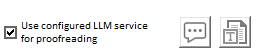
Note – while access to LLM proofreading will be complimentary, the ability to turn it on will not be enabled by default. Because +Drafting users already have access to LLM tools, they will be able to turn it directly inside ClaimMaster’s preferences. However, QA, Pro, and Pro+Drafting users will first need to explicitly opt-in on the administrative/license level and then also enable this capability in their ClaimMaster preferences once their access to LLM proofreading is enabled on the admin level. Here’s more info about this feature.
Automatic parts import while drafting
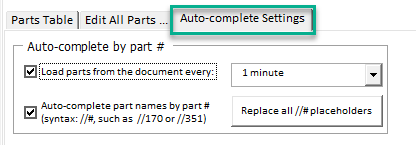
ClaimMaster can now, at preset intervals, re-scan your document for any new part names and numbers and add them to the parts table. The scan itself runs in the background and is fast because ClaimMaster will only process Word sections that have been edited. Combined with auto-complete, the new auto-update feature makes it easy to fill out part names and numbers in the specification as you type by using the //part-number shorthand. To see how to set this up, view the updated step-by-step tutorial.
Enhanced flowchart generation tool (Pro, Pro+Shells)
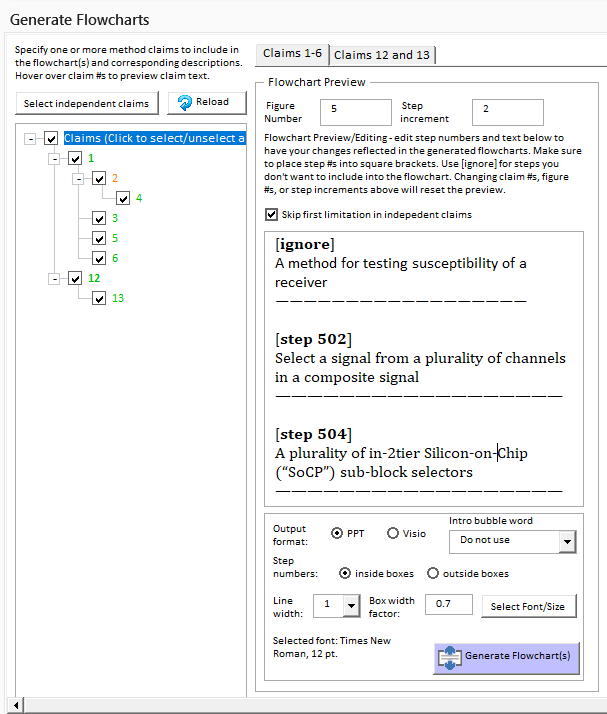
Pro and Pro+Shells users now have access to the improved flowchart generation tool, which is similar to the tool available in the +Drafting version. The new flowchart tool allows the creation of flowcharts from multiple claims, both independent and dependent, and has other useful settings for flowchart generation. Here’s more info about the updated flowchart tool.
Numerous improvements to LLM-based tools (+Drafting)
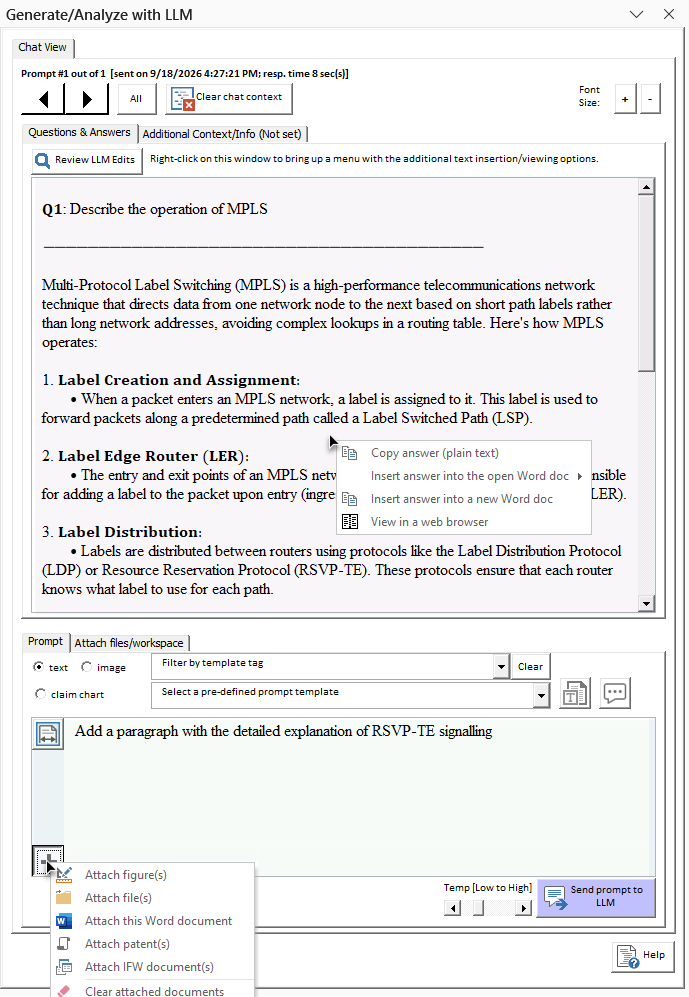
This release also features many improvements to other LLM-based tools in ClaimMaster. For example, we’ve updated ClaimMaster to use the latest flagship models from OpenAI, Anthropic, and Ollama services in light of the recent API changes to these platforms. In addition, the upcoming release features an updated UI for the chat interface that is significantly more streamlined, supports markdown output by LLMs, and makes it easy to quickly compose patent drafting prompts. Here’s more info. In addition, our Office Action tools have also been improved to provide the prior art to LLMs for analysis, leading to better analysis results.
Other improvements and bug fixes
- Fix to PDF or HTML files (e.g., IDS forms, reports) not getting opened from ClaimMaster – this pesky issue started happening after a recent Office update for some users and this ClaimMaster update fixes this issue
- Fixes for downloading of very recently issued US patents – Google Patents often doesn’t have the very recently issued U.S. patents, so ClaimMaster now gets their text from a different source. We also no longer default to Google Patents for PDFs, as they tend to not include Certificates of Corrections.
- Background downloading for large patent and IDS lists – helpful when you are dealing with large lists of references. Now you can just fire up ClaimMaster in the background to load the data for you, while you are working in the current Word document.
- LMM summary option for Patent Viewer (+Drafting) – useful for quickly summarizing the contents of reviewed patents
- Fixed generation of family trees based on abandoned/un-issued application #s
- Updated to the most current SB08a and other USPTO forms
- and many more small fixes and improvements
You can download this version from the Customer Portal by logging in using your license id, customer id, or email.