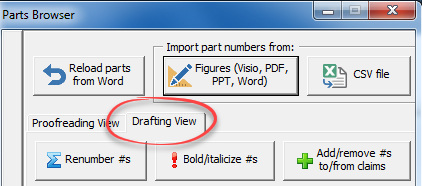
ClaimMaster lets you quickly increment a range of part numbers with a positive or negative number, in case you need to insert new part numbers or add a new figure in between existing figures and describe the new figure in the specification.
ClaimMaster enables you to detect part names and numbers in the specification, edit them, and also to use auto-complete to quickly enter part names when drafting a new patent application.
ClaimMaster includes a patent application drafting tool that lets you to quickly generate a draft Summary section for the patent application from a set of selected claims.
With a library of helpful patent application drafting tools, ClaimMaster makes it easy to add part numbers to the claims, as is often done when for converting US claims for EPO filings. In addition, ClaimMaster
ClaimMaster lets you to quickly browse claims in the document, generate claim tree diagrams as images or text, and chart claims based on their position in the tree hierarchy
Here you’ll find a list of our regularly updated step-by-step tutorials for performing various patent proofreading and time-saving tasks in ClaimMaster. Note that features vary between versions, as explained in this table. Patent Proofreading Tools
Data security in the cloud is a popular topic these days. Web-based applications offer certain advantages over the traditional desktop applications, such as cross-platform compatibility and ease of access. But what about using the cloud